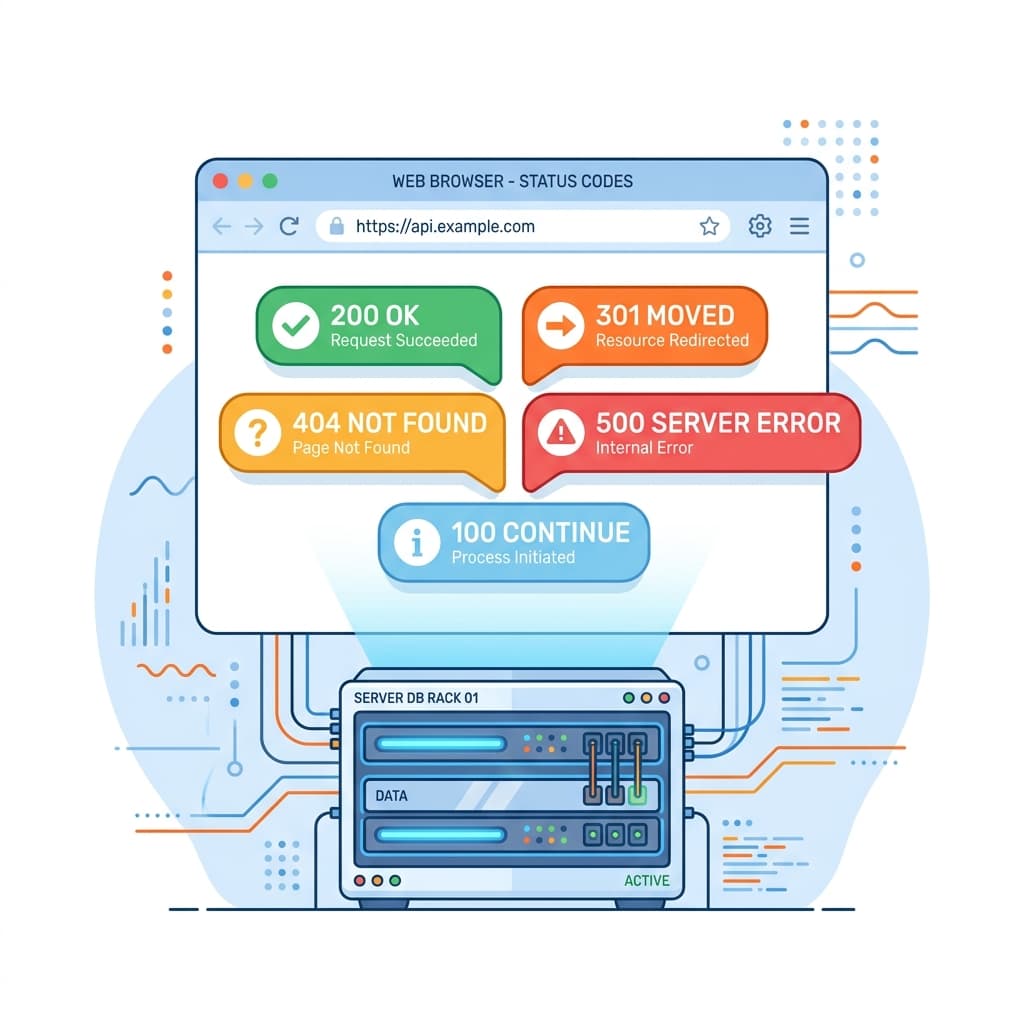
Every time you navigate to a website, submit a form, or load data from an API, your browser performs an HTTP request to a remote server. In return, the server responds with a three-digit integer known as an HTTP Status Code. Defined by the Internet Engineering Task Force (IETF) and RFC standards, these codes serve as a universal communication protocol, telling client systems whether a request succeeded, redirected, or failed due to an error.
Understanding these codes is a fundamental skill for web developers, systems administrators, and DevOps engineers. In this comprehensive guide, we will break down the five classes of HTTP status codes and analyze the most common codes you will encounter.
The Five Classes of HTTP Status Codes
The first digit of the response code defines the general class of the response. The IETF divides HTTP status codes into five distinct ranges:
- 1xx (Informational): Request received, continuing process. These are transit status responses indicating the request is being processed.
- 2xx (Success): The action was successfully received, understood, and accepted by the server.
- 3xx (Redirection): Further action must be taken by the client to complete the request, such as navigating to a new URL.
- 4xx (Client Error): The request contains bad syntax or cannot be fulfilled, meaning the client committed an error.
- 5xx (Server Error): The server failed to fulfill an apparently valid request, meaning the backend encountered a failure.
1xx Informational Codes
Informational status codes indicate that the server has received the request headers and the client should proceed to send the request body (in the case of POST/PUT requests) or wait for a protocol switch.
- 100 Continue: The server has received the request headers and the client should proceed to send the request body.
- 101 Switching Protocols: The requester has asked the server to switch protocols (such as upgrading HTTP/1.1 to WebSockets), and the server has agreed to do so.
2xx Success Codes
Success codes indicate that the client's request was successfully received, understood, and executed by the backend.
- 200 OK: The standard response for successful HTTP requests. The actual response payload depends on the request method (GET, POST, etc.).
- 201 Created: The request has been fulfilled, resulting in the creation of a new resource (e.g., a new user database record).
- 202 Accepted: The request has been accepted for processing, but the processing has not been completed. This is commonly used in asynchronous backend task queues.
- 204 No Content: The server successfully processed the request, but is not returning any content (often returned after DELETE requests).
3xx Redirection Codes
Redirection codes notify the client that they must perform an additional action, typically by sending a request to a new URL specified in the Location response header.
- 301 Moved Permanently: This and all future requests should be directed to the given URI. This is highly important for SEO redirection pipelines.
- 302 Found (Temporary Redirect): The resource resides temporarily under a different URI. The client should continue using the original URI for future requests.
- 304 Not Modified: Indicates that the resource has not been modified since the version specified by the request headers
If-Modified-SinceorIf-None-Match. The client can load the cached copy safely. - 307 Temporary Redirect: Similar to a 302 redirect, but the client must reuse the original HTTP request method (e.g. POST) when querying the new URL.
- 308 Permanent Redirect: Similar to a 301 redirect, but the client must reuse the original HTTP request method when querying the new URL.
4xx Client Error Codes
Client errors indicate that something went wrong with the client's request. These are usually resolved by correcting URL syntax, authenticating requests, or verifying header formats.
400 Bad Request
The server cannot process the request due to something perceived as a client error, such as malformed request syntax, invalid query parameters, or bad header framing.
Read our step-by-step resolution guide for resolving request syntax anomalies:
Fixing 400 Bad Request Guides →401 Unauthorized
Similar to 403 Forbidden, but specifically for use when authentication is required and has failed or has not yet been provided. The user must provide valid credentials to access the resource.
403 Forbidden
The request was valid, but the server is refusing action. The user might not have the necessary permissions for a resource, or the server is blocking client IPs or User-Agents (e.g. via Cloudflare WAF).
404 Not Found
The most famous status code on the web. It indicates that the server cannot locate the requested resource. This can happen due to a mistyped URL, a deleted asset, or incorrect routing.
405 Method Not Allowed
A request method is not supported for the requested resource (for example, attempting to perform a POST request on a static asset path that only supports GET).
408 Request Timeout
The server timed out waiting for the request. This occurs when the client takes too long to send the body payload or stream upload details.
429 Too Many Requests
The user has sent too many requests in a given amount of time. This is triggered by API rate-limiting rules protecting server capacity from brute-force queries or web scrapers.
5xx Server Error Codes
Server errors indicate that the server encountered an unexpected condition that prevented it from fulfilling the request. These are usually resolved by fixing backend application errors or server software configuration glitches.
500 Internal Server Error
A generic error message indicating that the server encountered an unexpected condition. This usually points to uncaught exceptions in server-side application scripts (Node/Python), database connection drops, or configuration issues.
Trace the backend logs and check out our verified diagnostic walkthroughs:
Fixing 500 Internal Server Error →502 Bad Gateway
The server, while acting as a gateway or proxy, received an invalid response from the upstream server it accessed in attempting to fulfill the request. This commonly occurs when an Nginx proxy is running but the upstream Node/PM2 service is offline.
503 Service Unavailable
The server is currently unable to handle the request. This is typically a temporary state caused by server overload, traffic spikes, backend resource exhaustion, or scheduled maintenance operations.
504 Gateway Timeout
The server, while acting as a gateway or proxy, did not receive a timely response from the upstream server. This occurs when backend queries take too long to complete, forcing the gateway to close the connection.
Summary Checklist for Debugging HTTP Errors
When diagnosing HTTP response anomalies in your web application, follow this standard engineering check flow:
- Check client request headers, content types, and query parameter formats.
- Look at server access logs to check the response code returned by the gateway (Nginx/Apache/CDN).
- Trace backend application logs (Node.js/Python/Go) if you encounter a 500 code to locate uncaught runtime exceptions.
- Ensure CORS (Cross-Origin Resource Sharing) headers are configured correctly on API requests.
- Verify cloud hosting infrastructure parameters, database connection limits, and memory usage.